


Patient Monitors for Multi-Parameter and Vital Signs Monitoring
Select from LLK7000, LLK9000, LLK6500, P6 and LLK5100 to match your measurement and display requirements.
- Multi-parameter and focused vital-sign monitoring options
- Different screen formats for your equipment shortlist
- Model-specific accessory and installation discussions
Match Your Patient Monitor to the Required Measurements
- LLK7000,P6 and LLK9000: 12.1-inch catalogue display specifications
- CMS6500: 7-inch display with ECG and respiration monitoring listed
- CMS5100: NIBP, SpO2, pulse rate, and temperature monitoring listed
- Compare included accessories separately from optional equipment
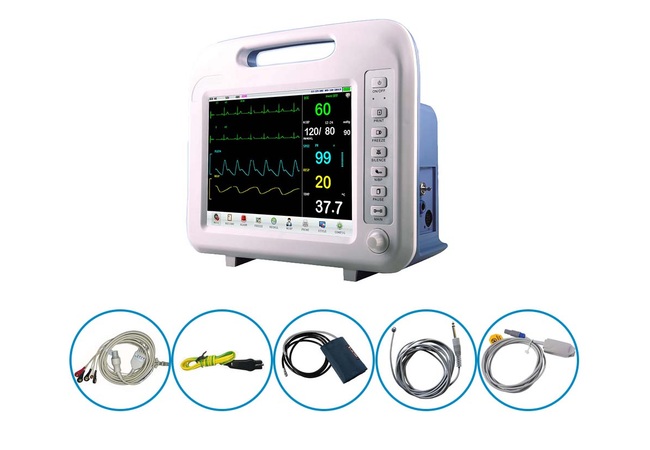
Choose from Four Patient Monitor Models
PROMED supplies LLK7000, LLK9000, CMS6500, and CMS5100 patient monitors. Start your comparison with the measurements you need, then review display format and accessory requirements. The catalogue specifications distinguish three models listing ECG and respiration from the CMS5100’s focused vital-sign parameter set. They also identify different display sizes and layouts, helping you form a practical shortlist before requesting prices. Use the model cards and comparison table below as a starting point, then ask us to confirm the current configuration, included accessories, and relevant documentation. Send your preferred model with the quantity and destination so your enquiry identifies an actual product, not only a general monitoring requirement.
Compare Our Patient Monitor Models
The following models are available through PROMED. Descriptions and comparison details are based on the model catalogues; confirm the current configuration and included accessories in your quotation.
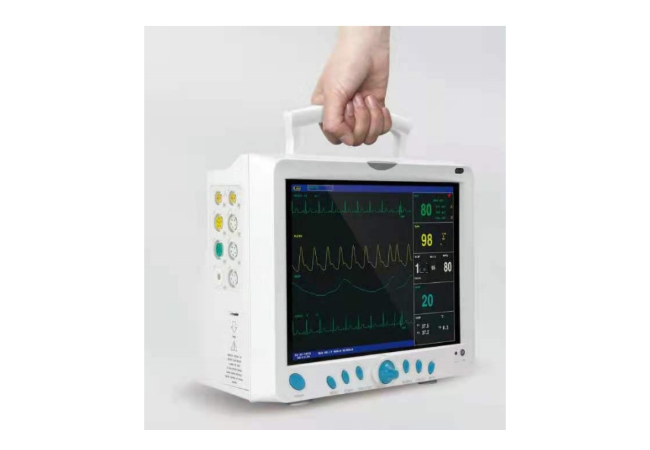
Consider this 12.1-inch model for multi-parameter monitoring; compare its handle-equipped housing and quoted configuration with LLK7000 before selecting your equipment.
- Catalogue Display
- 12.1-inch TFT colour LCD
- Parameters Listed
- ECG, RESP, SpO2, PR, NIBP, dual-channel TEMP
- Selection Note
- Top carrying handle shown; transport certification is not established.
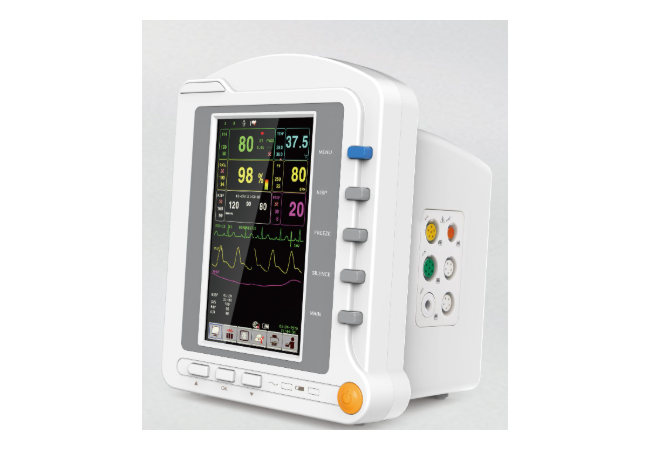
Shortlist this 7-inch model for ECG and respiration monitoring, checking optional mounting and recording equipment separately against your procurement requirements.
- Catalogue Display
- 7-inch TFT colour LCD
- Parameters Listed
- ECG, RESP, SpO2, PR, NIBP, TEMP
- Selection Note
- Thermal printer and mounting brackets are catalogue-listed options.
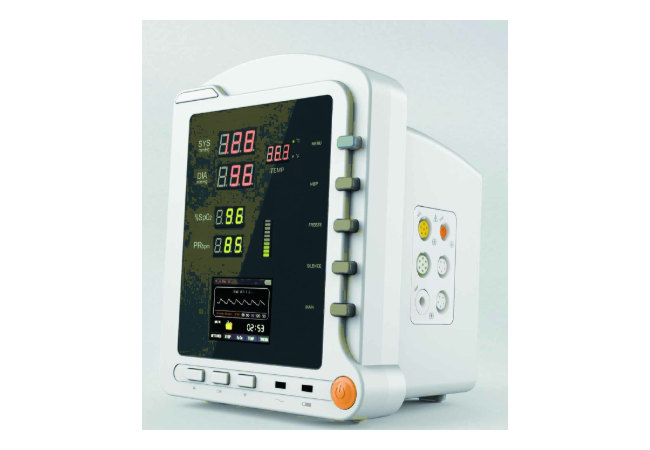
For patient monitoring focused on blood pressure, oxygen saturation, pulse rate, and temperature, compare this model’s numerical display area and 2.8-inch TFT screen.
- Catalogue Display
- Numerical display area plus a 2.8-inch TFT screen
- Parameters Listed
- NIBP, SpO2, PR, TEMP
- Selection Note
- ECG and RESP are not listed in the catalogue.
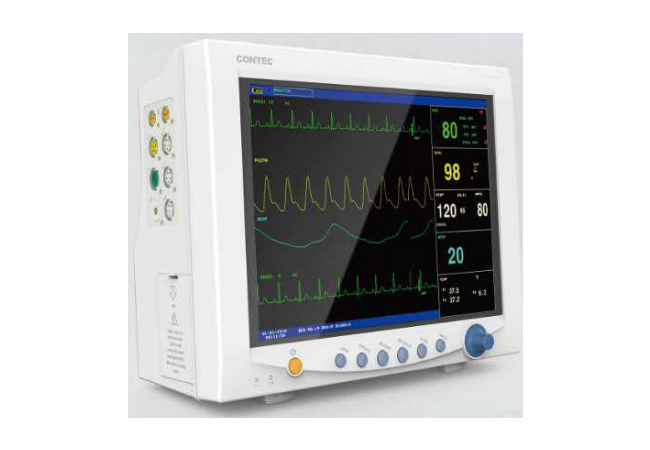
Compare this 12.1-inch option for ECG, respiration, blood pressure, oxygen saturation, pulse rate, and dual-temperature requirements in your monitoring project.
- Catalogue Display
- 12.1-inch TFT colour LCD
- Parameters Listed
- ECG, RESP, SpO2, PR, NIBP, dual-channel TEMP
- Selection Note
- Compare the housing, controls, and quoted configuration with LLK9000.
Four Details to Check on Each Monitor
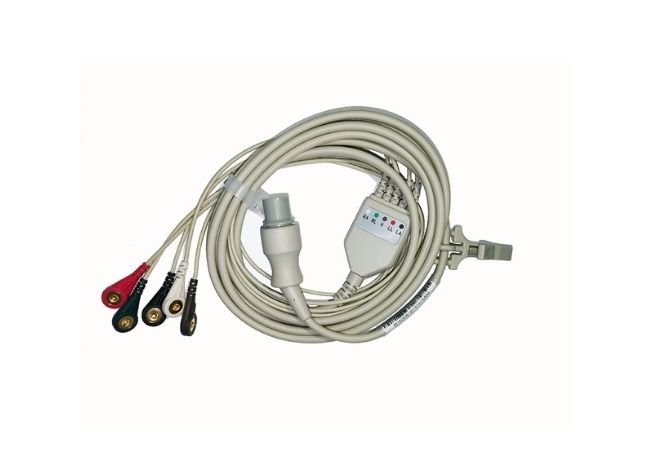
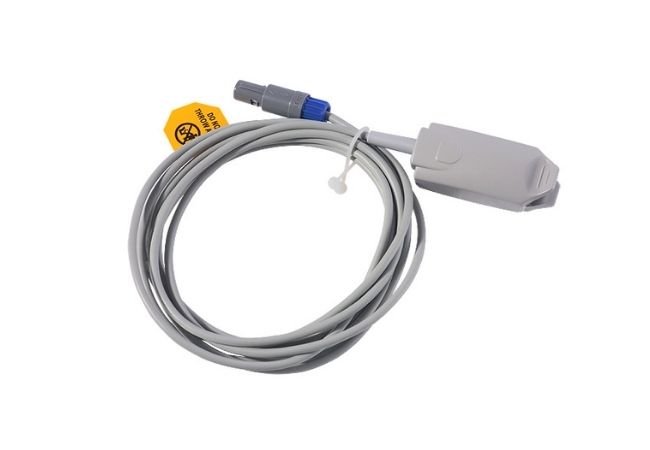
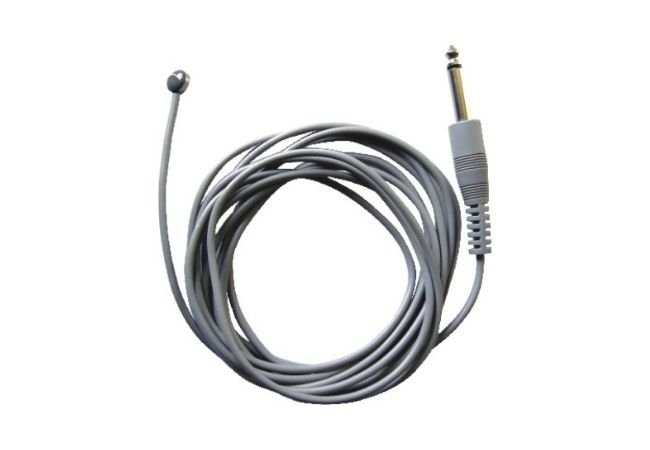
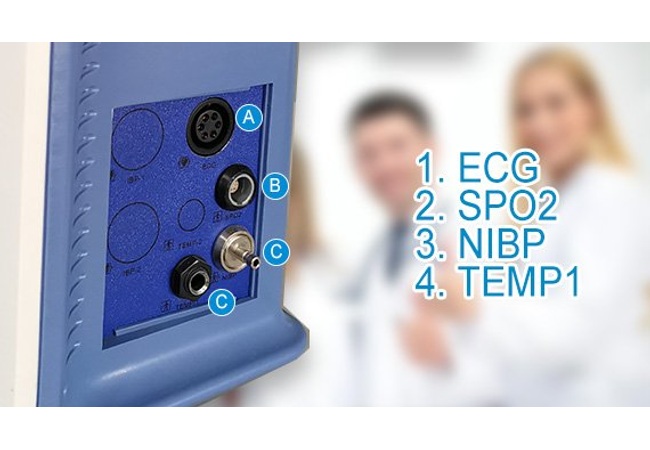
Check the proposed measurement modules and their required leads, probes, and connectors against your specification.
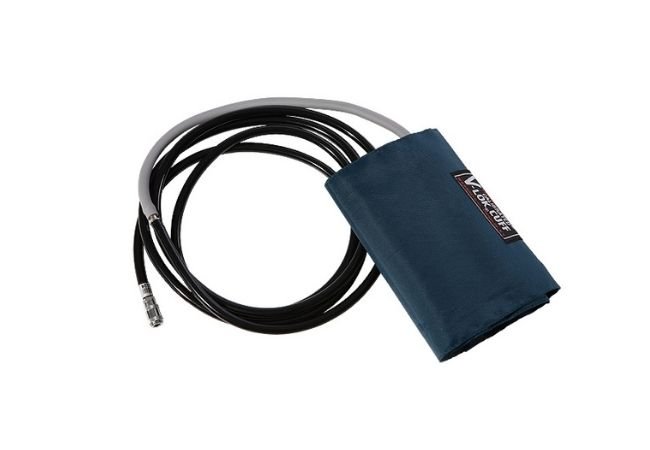
Match sensor and cuff requirements to the intended population and the documentation for the selected monitor.
Confirm the required record types, review functions, and output method for the quoted configuration.
Check supply requirements, battery information, and the mounting arrangement before approving the equipment layout.
Patient Monitor Model Comparison
Use these catalogue-listed details to select models for discussion. They are not a substitute for the current model-specific specification and agreed supply configuration.
| Model | Catalogue Display Description | Parameters Listed in the Catalogue | What to Compare |
|---|---|---|---|
| LLK7000 | 12.1-inch TFT colour LCD | ECG, RESP, SpO2, PR, NIBP, dual-channel TEMP | Compare the housing, controls, and quoted configuration with LLK9000; the catalogues list the same core parameters and screen size. |
| LLK9000 | 12.1-inch TFT colour LCD | ECG, RESP, SpO2, PR, NIBP, dual-channel TEMP | The catalogue image shows a top carrying handle. Confirm installation requirements; the handle does not establish transport certification. |
| CMS6500 | 7-inch TFT colour LCD | ECG, RESP, SpO2, PR, NIBP, TEMP | Compare the smaller display format. The catalogue lists the thermal printer and mounting brackets as options, not standard equipment. |
| CMS5100 | Numerical display area plus a 2.8-inch TFT screen | NIBP, SpO2, PR, TEMP; ECG and RESP are not listed | Consider for your focused vital-sign requirements. The 2.8-inch specification refers to the small TFT screen, not the whole front panel. |
RESP means respiration; PR means pulse rate; NIBP means non-invasive blood pressure; TEMP means temperature. Do not transfer one model’s parameter set or accessories to another.
Build a Configuration You Can Compare
Build a Configuration You Can Compare
Shortlist Models by Required Measurements
For patient monitors requiring ECG and respiration, start by comparing the LLK7000, LLK9000, and CMS6500 catalogue entries. If your requirement is limited to blood pressure, oxygen saturation, pulse rate, and temperature, include CMS5100 in your discussion. This separates measurement needs before screen size influences your decision. Ask your clinical team to confirm the required functions and obtain the current specification for the shortlisted model.
Avoid Missing Accessories in Your Quotation
A patient monitor quotation needs more than a device name. Ask for the accessory references and quantities associated with the proposed configuration, then compare them with your deployment plan. A sensor supplied for one patient category may not cover another. Recording these differences before ordering makes it easier to identify missing items, price alternatives, and plan replacement accessories for your team.
Define the Record You Need
Decide how your team expects to use patient monitor records after a measurement. A screen view, a printed report, and a transferred file are different requirements. Ask for an example of the relevant output from the proposed model and clarify which hardware or software is necessary. Include the agreed output requirement in your purchase specification rather than relying on a general reference to data storage.
Check Connections Before Deployment
If patient monitors must communicate with another system, identify that system and involve your technical team early. Request the applicable interface information, software version, and any additional hardware or licensing requirements. An available connector does not establish compatibility. Agree how the proposed connection will be evaluated before you approve a configuration that depends on central monitoring or external data transfer.
Plan Around Your Purchasing Project
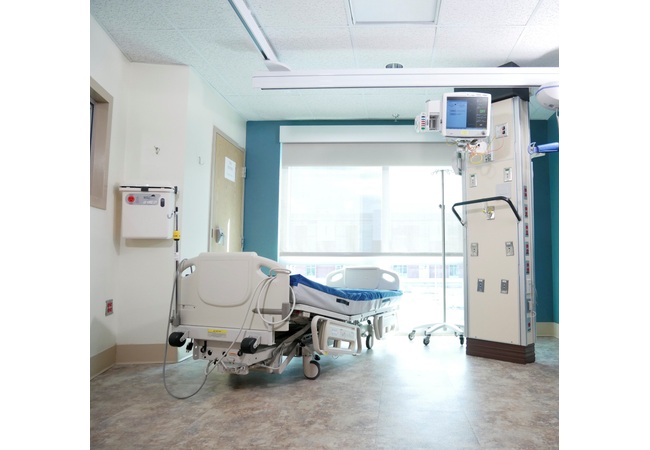
When replacing patient monitors, start with the tasks your existing equipment performs. Record any accessories you hope to retain, but request a compatibility assessment instead of assuming they will fit. Comparing requirements rather than model names helps you define a replacement specification and identify where new accessories or different operating procedures may be necessary.
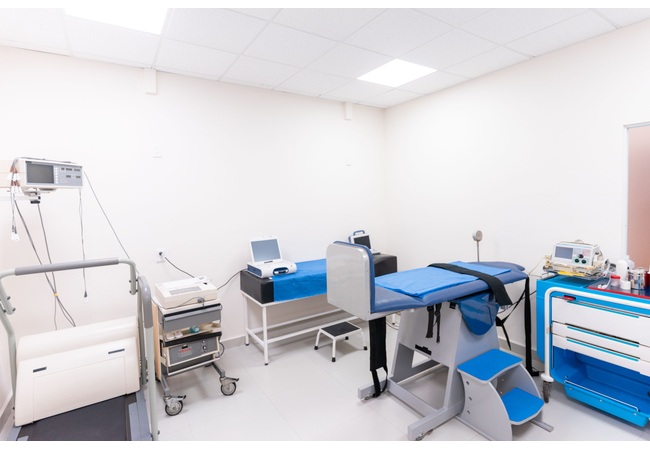
For distributor procurement, group patient monitor requirements by the customer needs you intend to serve. Provide expected quantities, destination markets, and the documentation your customers request. Keep alternative configurations separate. Before presenting an offer to your own customers, obtain confirmation of the proposed model, included items, supply conditions, and any statements you intend to publish.
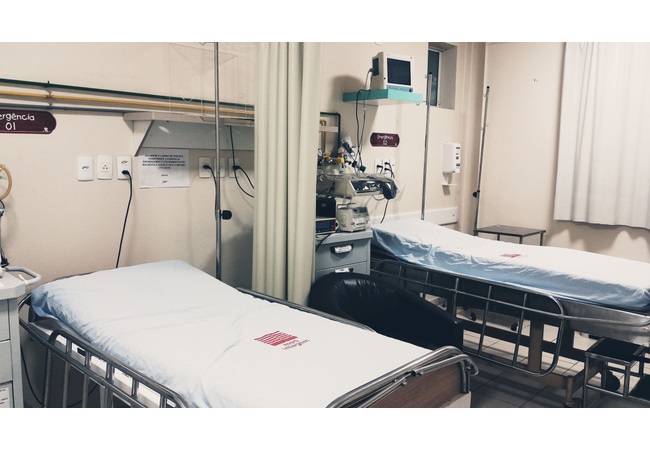
For a multi-site patient monitor purchase, collect requirements from each location. The same display size does not mean every site needs the same accessories, network functions, or mounting arrangement. Use a location-based equipment list to distinguish shared requirements from local differences. This gives the purchasing team a practical reference for comparing configurations and discussing delivery or acceptance arrangements.
Other Products
Patient Monitor Procurement FAQ
Do not assume they are included. Ask for the intended population stated in the selected model’s documentation and a specific accessory list for your proposed configuration. A quotation for an adult cuff or sensor does not establish neonatal suitability. Confirm both the equipment configuration and the accessories before ordering.
Treat expansion as a separate requirement. Ask whether the hardware and software revision allows the requested option, what components are needed, and who can perform the work. Do not base your purchase on a promise of upgradeability. The agreed expansion path should be documented for the proposed configuration.
Include your sample request, destination, evaluation requirements, and order quantity in the enquiry. Sample availability, configuration, price, and delivery terms require confirmation. Define what your team needs to assess before evaluation, and retain the configuration record so that the later quotation can be compared with the unit assessed.
State the destination and your purchasing team’s document requirements. Request documents that identify the relevant manufacturer, model, and configuration, together with the applicable instructions and labels. A logo on a brochure is not sufficient evidence of market eligibility. Have the relevant specialists check the documents for your intended transaction.
Ask for identifiable accessory references and clarify whether each item is reusable or single-use according to its own documentation. Discuss replacement availability, ordering quantities, and current supply terms separately from the monitor purchase. Do not choose a substitute solely because its connector looks similar; suitability needs confirmation for the exact equipment and accessory.
Request the terms applicable to the quoted model and destination, including the coverage period, exclusions, claim procedure, and responsibility for shipping or service costs. Ask how accessories and consumable items are treated. Record these conditions in the commercial agreement rather than assuming a general website warranty applies to every order.